The computer was born to solve problems that did not exist before.
A high-quality computing education equips pupils to use computational thinking and creativity to understand and change the world. Computing has deep links with mathematics, science and design and technology, and provides insights into both natural and artificial systems. The core of computing is computer science, in which pupils are taught the principles of information and computation, how digital systems work and how to put this knowledge to use through programming. Building on this knowledge and understanding, pupils are equipped to use information technology to create programs, systems and a range of content. Computing also ensures that pupils become digitally literate – able to use, and express themselves and develop their ideas through, information and communication technology – at a level suitable for the future workplace and as active participants in a digital world. National Curriculum for Computing, purpose of study
Making music in computing
In our computing project today, Year Two students considered how music can reflect emotions. After reading a chapter from their recently-written stories, the children focused on understanding the core elements of music, such as beats, rhythm, tempo, and instruments....

Y5 Computing- Creating a Logo using Vector Diagrams
For Computing this term, Y5 worked on computer graphics, especially learning how to make diagrams with a computer. We call one type of this work Vector diagrams because they are made of different shapes assembled together. The pupils used Google Drawing to create...
“From Magic Paintbrushes to World Maps
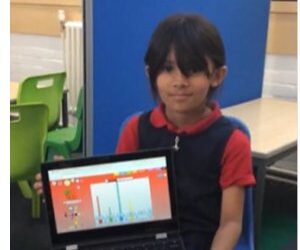
What a fantastic week it’s been in Year 2, filled with creativity, curiosity, and lots of learning!In English, the children have been diving into the story of The Magic Paintbrush. They’ve been retelling the tale not only through speaking but also through dance —...
STEAM and World Book Day in Delaunay
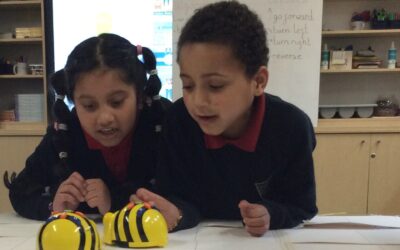
Recently, we celebrated STEAM and World Book Day with exciting events that piqued our students' incredible capacity for curiosity and imagination. All STEAM ahead! Let's get going . . . It was so much fun : ) Using miniature robots, we explored the world of STEAM...
British Science Week: Steam Day
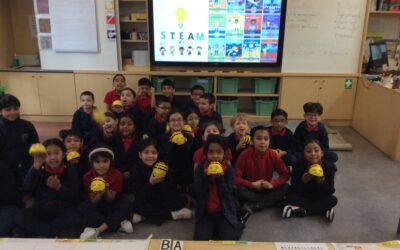
Yesterday morning, we celebrated our annual STEAM day by immersing pupils in various Science, Technology, Engineering, Art and Maths activities across years 1-6. There was an array of activities ranging from building bridges, photo-frames and rockets to making a...
Photography in Year Two
By Delaunay and Tagore We have been doing computing. Last week, we learnt about images, and the keywords we remembered in today's photography lesson are portrait, landscape, device, and permission. Our portrait photos: Portrait is vertical. It helps us see the top...
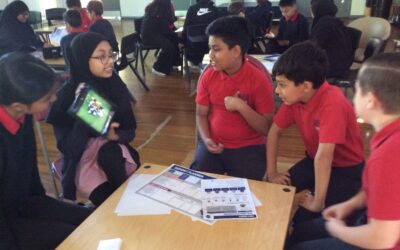
Year 6 Workshop: Aspiring News Reporters for Sky TV
On Monday, our Year 6 students had the incredible opportunity to step into the shoes of professional news reporters for a special workshop hosted by Sky TV. The excitement in the air was palpable as the students prepared to create their very own 90-second news report...
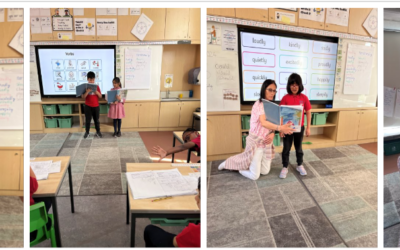
Another wonderful week in Year 2!
This week in English we have been planning our innovative story. We planned the story and we became story tellers. We shared our stories with everyone making sure to use sequencing language, conjuctions, adjectives and adverbs. We made sure we used our loud, proud...
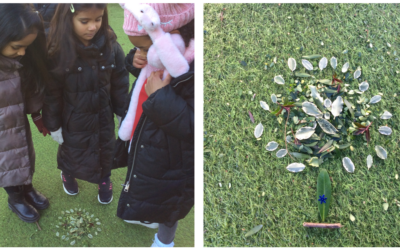
What have Goldsworthy been up to this term?
Hello! This term our guiding question was: What plants are growing in our edible garden? We have had a really busy term and wanted to share what we have been up to! Keep reading to find out... Computing In computing we have been learning about properties of groups. We...
Full Steam Ahead!
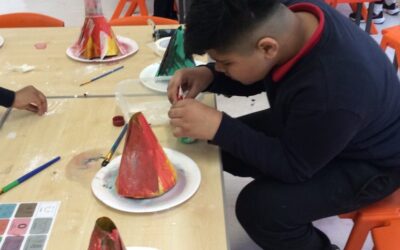
Today, everyone at Lansbury Lawrence participated in STEAM day to celebrate British Science Week. Every class hosted a workshop to inspire and get the pupils involved in Science. There was a range of workshops such as volcano making, lava lamp making, salt painting,...